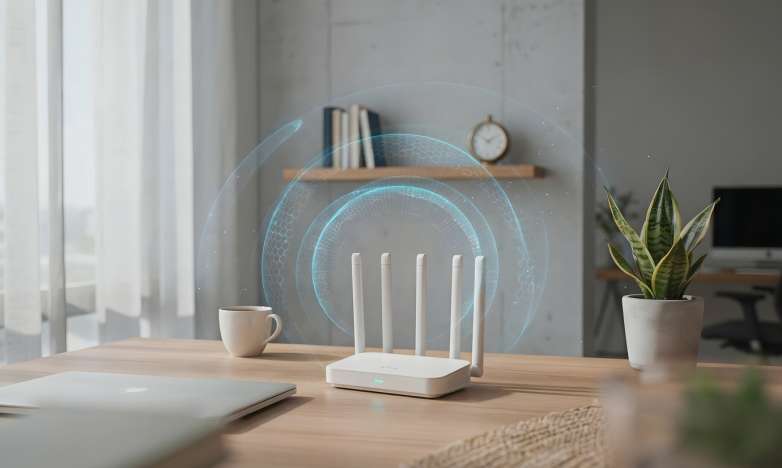

You are paying for the best broadband internet, yet your Netflix keeps buffering and your Zoom calls keep dropping? Before you blame your ISP, take a look around your house. Where is your router right now?
If it is stuffed inside a TV cabinet, hidden behind a sofa, or sitting on the floor, you are suffocating your connection. Your home Wi-Fi setup is just as important as the speed you pay for. Here is a complete guide on how to boost your Wi-Fi signal instantly just by changing where your router sits.
The Worst Places to Put Your Router
Wi-Fi signals are basically radio waves. They can easily be blocked, absorbed, or reflected by everyday household items, creating frustrating Wi-Fi dead zones.
1. The Kitchen Nightmare
Your kitchen is the absolute worst place for a router. Microwave ovens operate on the exact same 2.4 GHz frequency as most routers. Heating up your food can cause massive Wi-Fi interference, literally dropping your connection. Furthermore, large metal appliances like refrigerators bounce the signal away.
2. The Fish Tank Rule
Water absorbs Wi-Fi signals like a sponge. If you place your router next to an aquarium or a large indoor water feature, the signal will struggle to pass through it, severely limiting your home Wi-Fi coverage.
3. Hidden Inside Cabinets
We get it—routers are not the prettiest decorations. But hiding them inside a wooden TV console or a metal electrical box traps the signal. To get the best Wi-Fi signal at home, the router needs to be out in the open.
Perfect Router Placement for Maximum Coverage
If you want to maximize your high-speed internet package, follow these three golden rules of placement.
1. Center Stage is the Best Stage
Wi-Fi antennas send signals outward in all directions, like a 360-degree bubble. If you place your router against an outside wall or in a far corner bedroom, half of your signal is being broadcasted into the street or your neighbor’s flat. The perfect router placement is in the exact center of your home, allowing the signal to reach every room equally.
2. High and Mighty
Wi-Fi signals spread outward and downward, so a router on the floor wastes much of its coverage. If you leave your router on the floor, a massive chunk of your signal is going straight into the ground. To boost Wi-Fi signal, place your router high up on a bookshelf or mount it near the ceiling.
3. The Antenna Trick
If your router has two external antennas, do not point them both straight up. Point one vertically and the other horizontally (perpendicular to each other). Device antennas work best when they run parallel to the router’s antenna. This trick ensures maximum reception whether you are holding your phone upright or laying your laptop flat.
Dealing with Thick Concrete Walls
Homes in Bangladesh bring their own Wi-Fi challenges. Apartments in Bangladesh are built with thick brick and concrete walls, which are the natural enemies of Wi-Fi.
- Choose the Right Band: Understand the 4 GHz vs 5 GHz range. The 5 GHz band is much faster but struggles to pierce thick walls. The 2.4 GHz band is slower but can travel further through concrete.
- Upgrade to Mesh: If you live in a large, multi-room apartment, a single router might not be enough. Instead of buying cheap Wi-Fi extenders that cut your speed in half, upgrading to a mesh Wi-Fi system is the ultimate way to eliminate dead zones across large concrete spaces.
Pair Perfect Placement with a Premium Connection
Even the most strategic router placement cannot fix a poor, unstable internet line. For a truly seamless smart home or gaming experience, you need a reliable ISP in Bangladesh that delivers consistent bandwidth without packet loss.
At Nexa, a premium home brand of aamra networks limited, our experts do not just provide a fiber-optic broadband connection; we help you optimize your home network layout. Upgrade your home’s connectivity today by exploring Nexa’s Premium Packages and say goodbye to buffering for good.